
One endless page a day
Each day has one page that scrolls as far as you need. A slim week or month strip on top takes you to any day.
JournalWithMe gives each day one endless page. Write, add photos and videos, record a voice note, write by hand, and note your mood and what you are grateful for, in any order you like. Notes have a tab of their own.
See it in actionSee Other Apps
Free on your phone with a free account. Coming soon to the App Store and Google Play.
Each day has one page that scrolls as far as you need. A slim week or month strip on top takes you to any day.
Add text, photos and videos, voice notes, handwriting, mood, gratitude and prompts, as many as you like, and drag them into the order you want.
Write with a finger or a stylus. On your device, the app can smooth your own strokes, even out their size and slant and set them on the lines, left, centre or right, with a calligraphy pen. Your originals are kept.
Note pages for anything that is not tied to a day. Pin the ones you use most, and search them by title and text. They use the same editor as your days.
Look back with a writing calendar, your streaks, your mood over time and how many words you have written.
Share a note page with Premium. Everyone you invite can edit it, and they do not need Premium. Your day pages stay private.
Two short loops drawn from the app’s screens: neat handwriting, and the Notes tab.
Animated drawings of the real screens. They stop if you hover over them or tick Pause, and they stay still if your device asks for less motion.
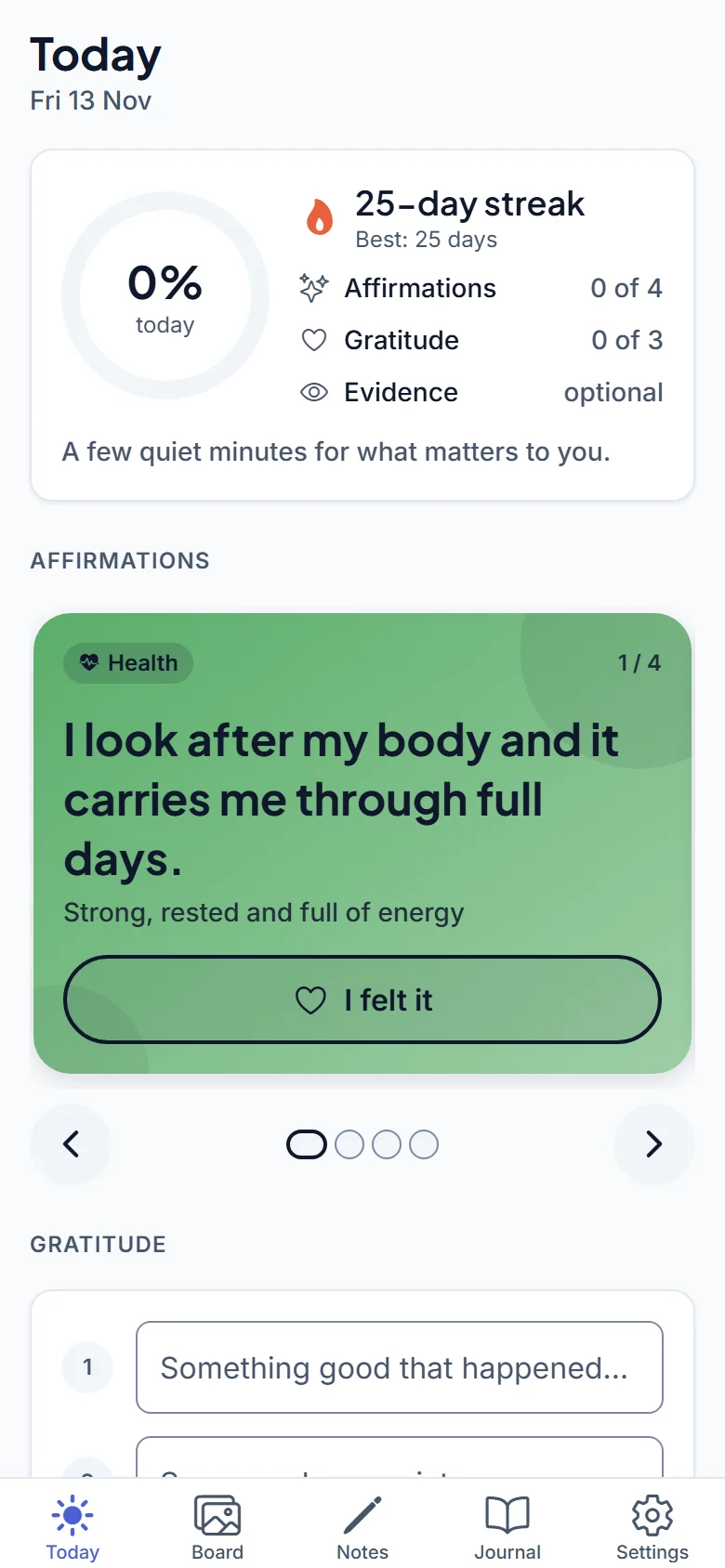
Share a note page with people you choose, such as a trip plan or a shopping list. It stays yours, and everyone you invite works on the same page.
Four apps, one account, one logo. GoalSetMe is what you aim for, TimeBlockMe is when you plan to do it, HabitTrackMe is what you do each day and JournalWithMe is where you reflect.

Set SMART goals and plan for what could get in the way.
Visit goalsetme.app →
Plan your week in blocks of time.
Visit timeblockme.app →
Track daily habits, streaks and trends.
Visit habittrackme.app →
A daily journal and notes, with your own handwriting.
Use one, or use them side by side. Together they are AllOfMe: one plan with all four apps working together. See the AllOfMe plan.
Everything starts with a free account. Choose one app’s Premium, or all four apps with AllOfMe.
US$0
Needs a free account (Apple, Google or Microsoft). On Free, what you enter stays on your device, and the mobile app shows one small banner ad.
US$6.99per month after the free first month
You sign in, then go straight to secure checkout. The free month is for new accounts.
Auto-renews at US$6.99 a month until cancelled. Cancel any time before the free month ends and you won’t be charged.
US$14.99per month for GoalSetMe, TimeBlockMe, HabitTrackMe and JournalWithMe
Save US$3.97 a month (21%) compared with all four separately (US$18.96)
The first month is free for new accounts. Auto-renews at US$14.99 a month until cancelled. Already paying for one app? Cancel that plan first, then choose AllOfMe.
Yes, a free one. You sign in with Apple, Google or Microsoft. On the Free plan, what you enter stays on your device, and we hold only your email address and sign-in method.
Free is the whole app on your phone, offline: unlimited days and notes, handwriting and neat handwriting, and photos, videos and voice notes stored on the device, with one small banner ad in the mobile app. Premium (US$6.99 a month, first month free for new accounts) adds sync across devices including your photos, videos and voice notes, the web app, no ads, data export, sharing a note page, the AI assistants connector and longer insights.
No. Neat handwriting tidies your own strokes on your device: it smooths them, evens out their size and slant and sets them on the page’s lines. It does not turn handwriting into typed text, your original strokes are kept, and you can switch neat off for any handwriting block.
Yes, a note page, with Premium. Create an invite link and send it to someone. They can edit the page with you and do not need Premium. Day pages are not shared, and pictures, videos and voice notes on a note page are not shared yet.
Yes, with Premium. Add the JournalWithMe connector at mcp.journalwithme.app to your AI assistant and sign in, and the assistant can work with your journal and notes when you ask it to.
One plan, US$14.99 a month, for GoalSetMe, TimeBlockMe, HabitTrackMe and JournalWithMe. It adds the AllOfMe workspace, which shows the four apps side by side on the web and on tablets, and ways for them to work together, such as booking time for a goal in TimeBlockMe.
Cancel where you subscribed: iPhone Settings, your name, Subscriptions; Google Play, Payments and subscriptions; or on the web in Account, Manage subscription. Cancel before the free month ends and you won’t be charged.
On Free, on your device only. We cannot see it or restore it for you. With Premium it is synced to your account, so a new phone has it again when you sign in.
Soon. The app is in testing now.
Email support@timeblockme.app from the address you signed up with. The account is shared by all four apps, so deleting it removes it from all of them.
Write a line, add a photo or note how you feel, in your own words.